
OpenAI Ads Pixel and Conversion API Tracking Case Study
OpenAI Ads Pixel and Conversions API with Advanced Matching and Dynamic Value
I set up OpenAI Ads Pixel and Conversions API for Organic Store using GTM web and server containers. The captured tests show shopping events received through browser and server channels, with purchase parameters and user data included.
Open original case study PDF ↗The business and the challenge
Organic Store needed openai ads conversion tracking for its website. The goal was to capture the shopping journey and send purchase details to OpenAI Ads, including dynamic order value and user identifiers for matching.
My strategy
I configured browser Pixel tags and corresponding event forwarding in the GTM web container, then added a Conversions API tag in the server container. I mapped shopping actions to page_viewed, contents_viewed, items_added, checkout_started, and order_created, and used GTM Preview and the Ads Manager Event Stream to inspect delivery.
Connecting the website
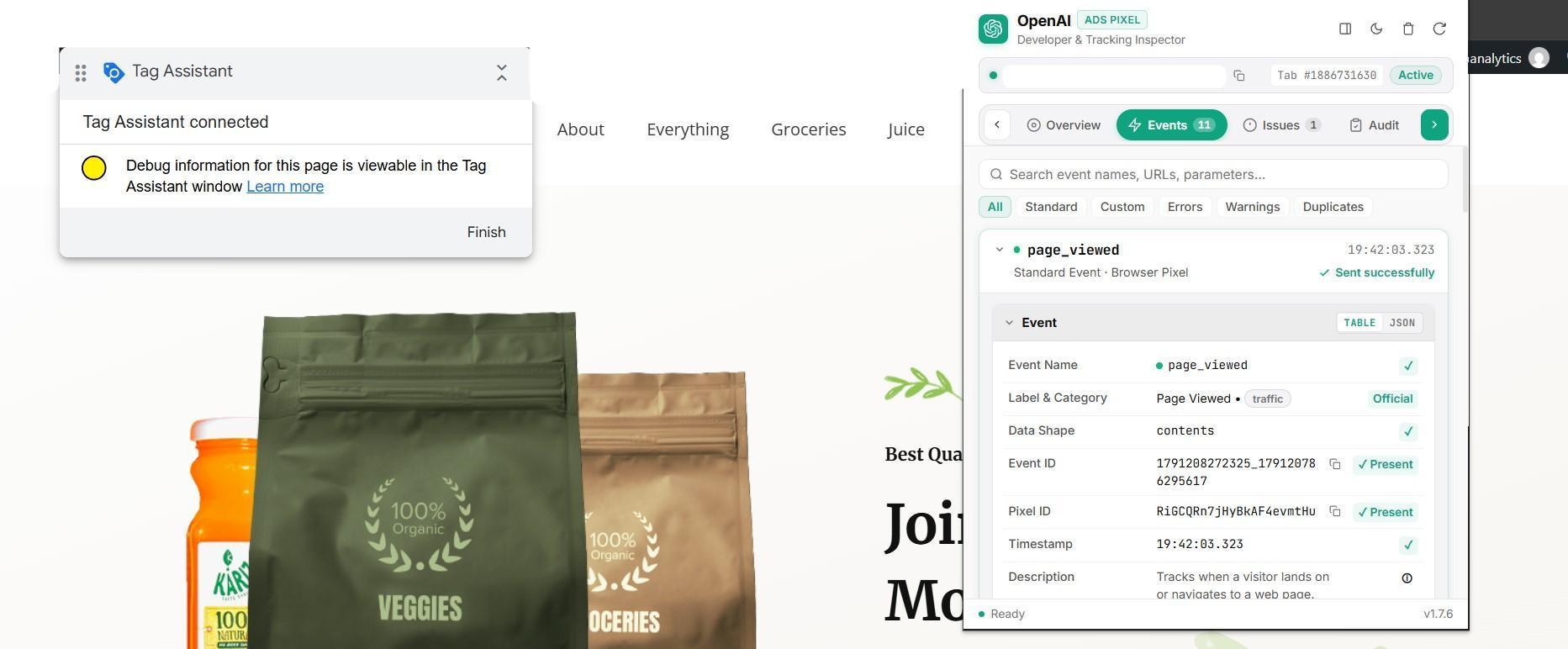
I connected GTM to the website and checked the browser Pixel activity. The captured inspector view shows a page_viewed event sent successfully.
Configuring browser and server tracking
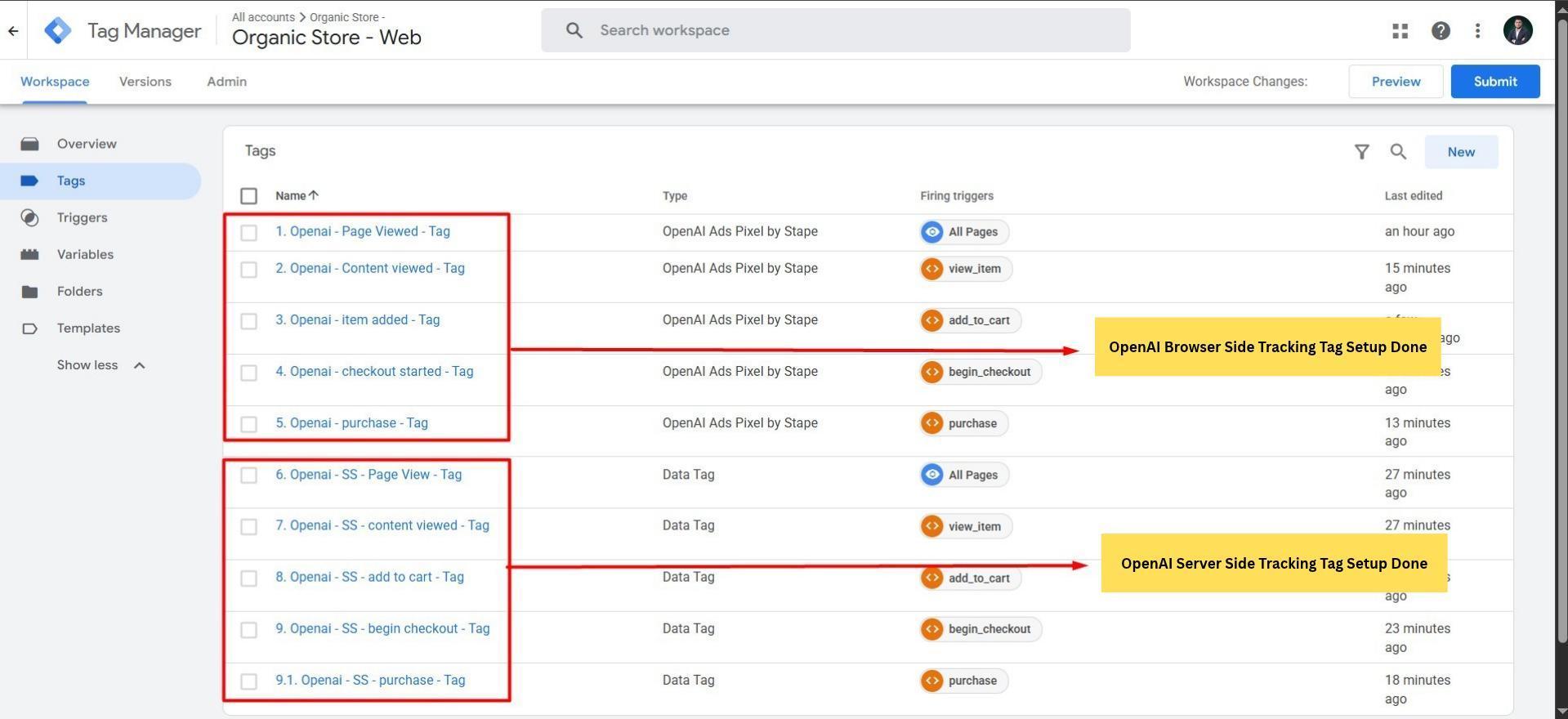
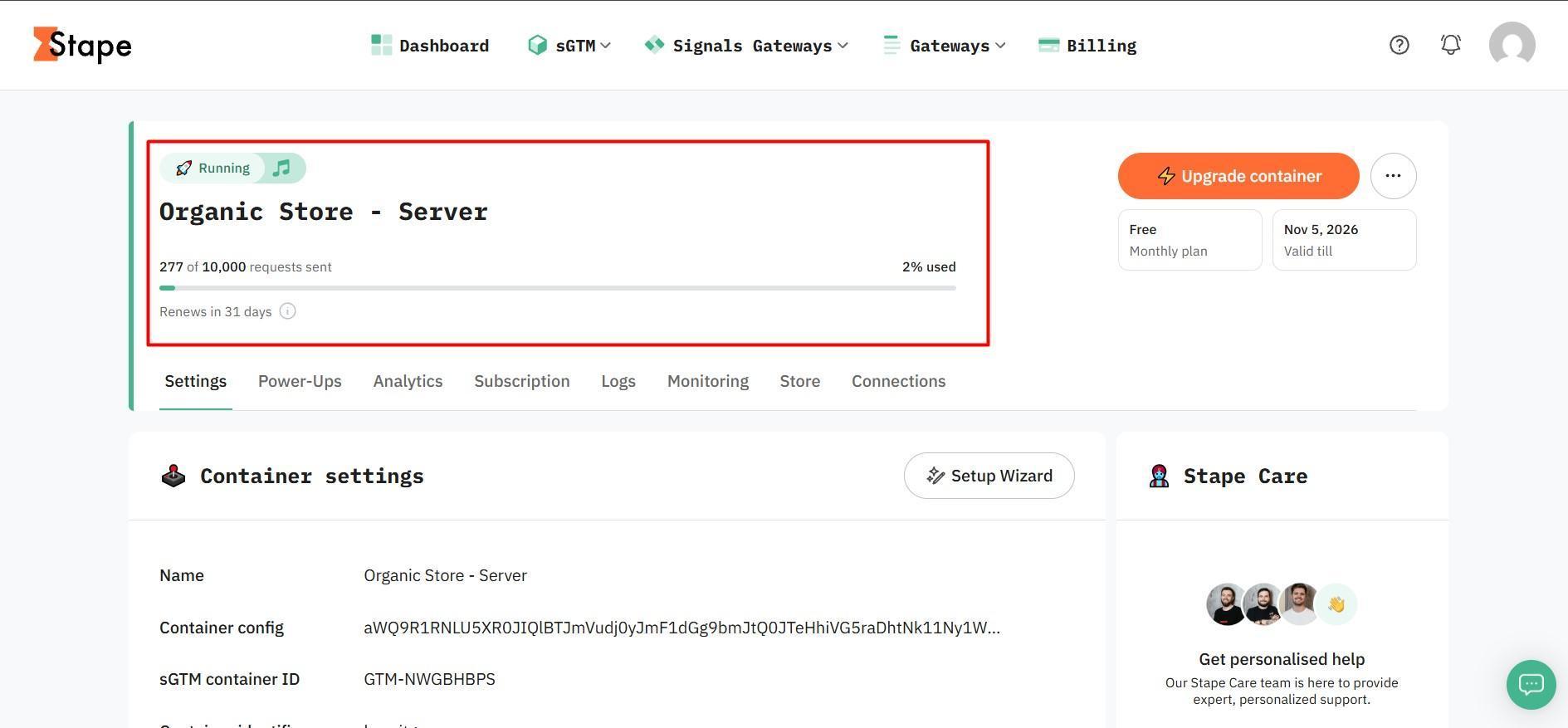
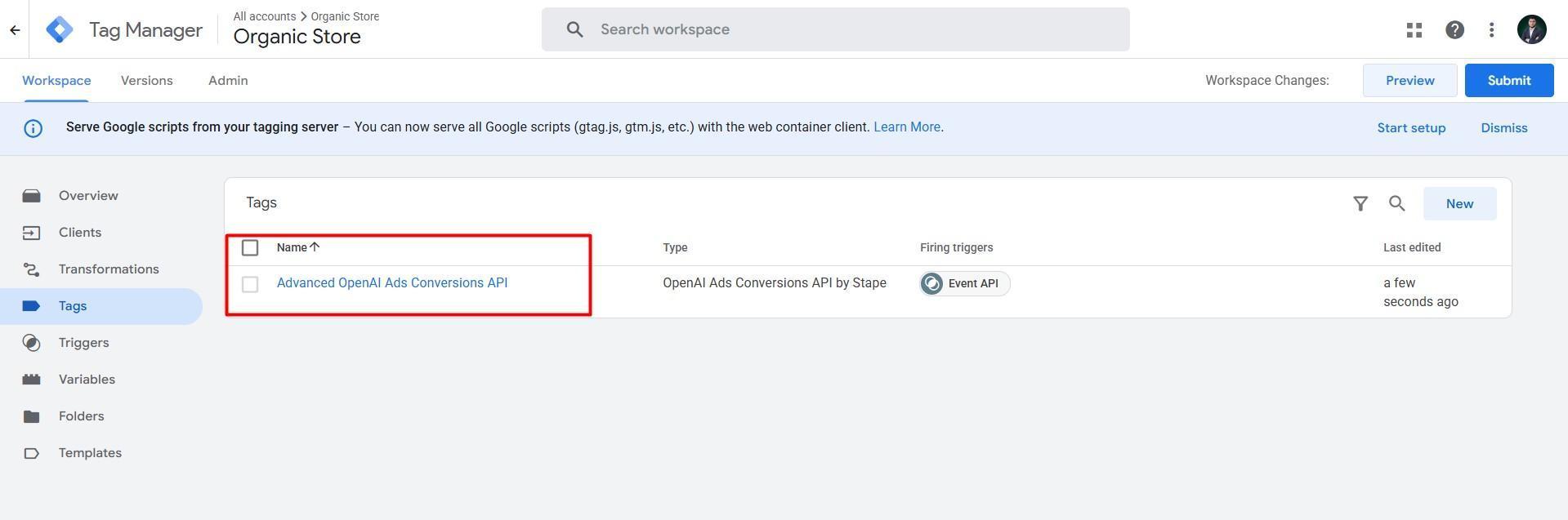
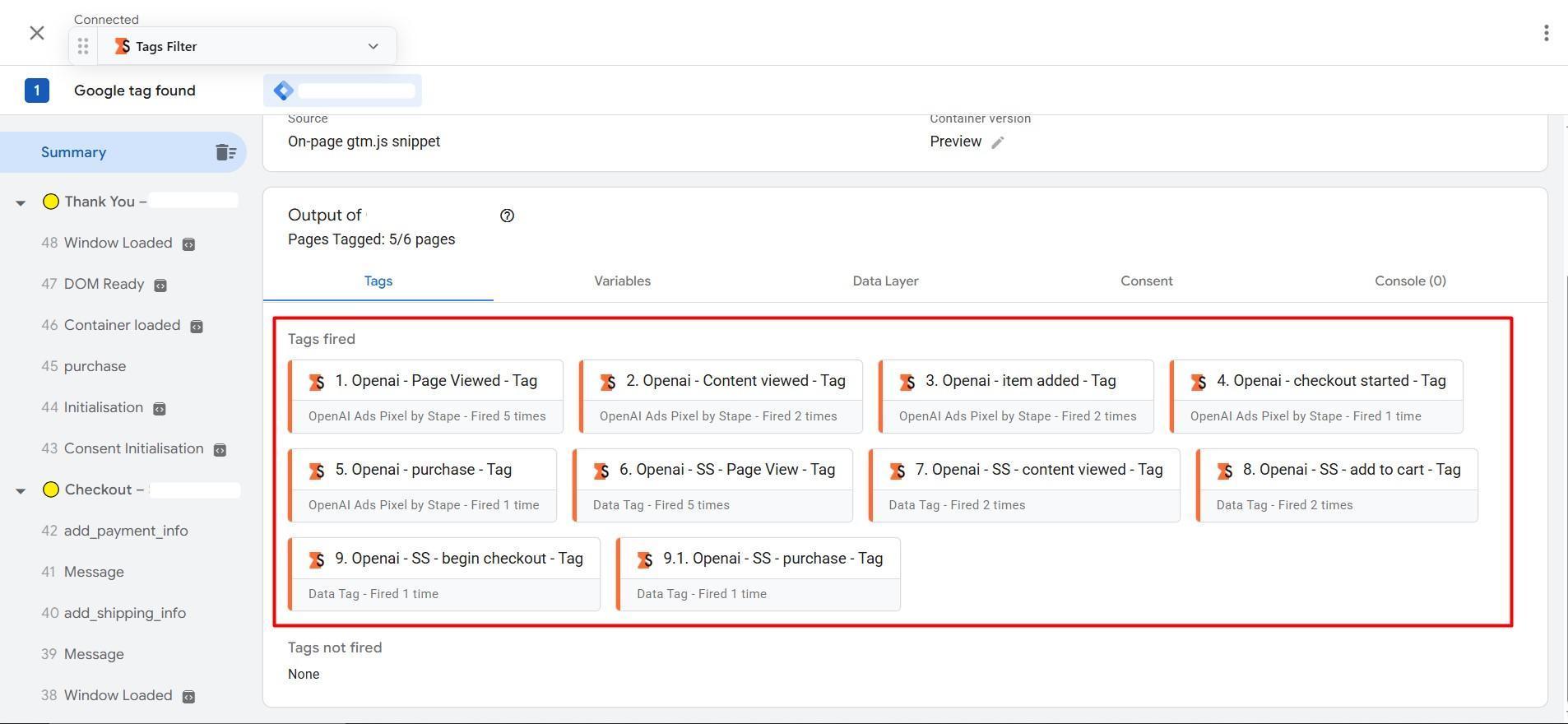
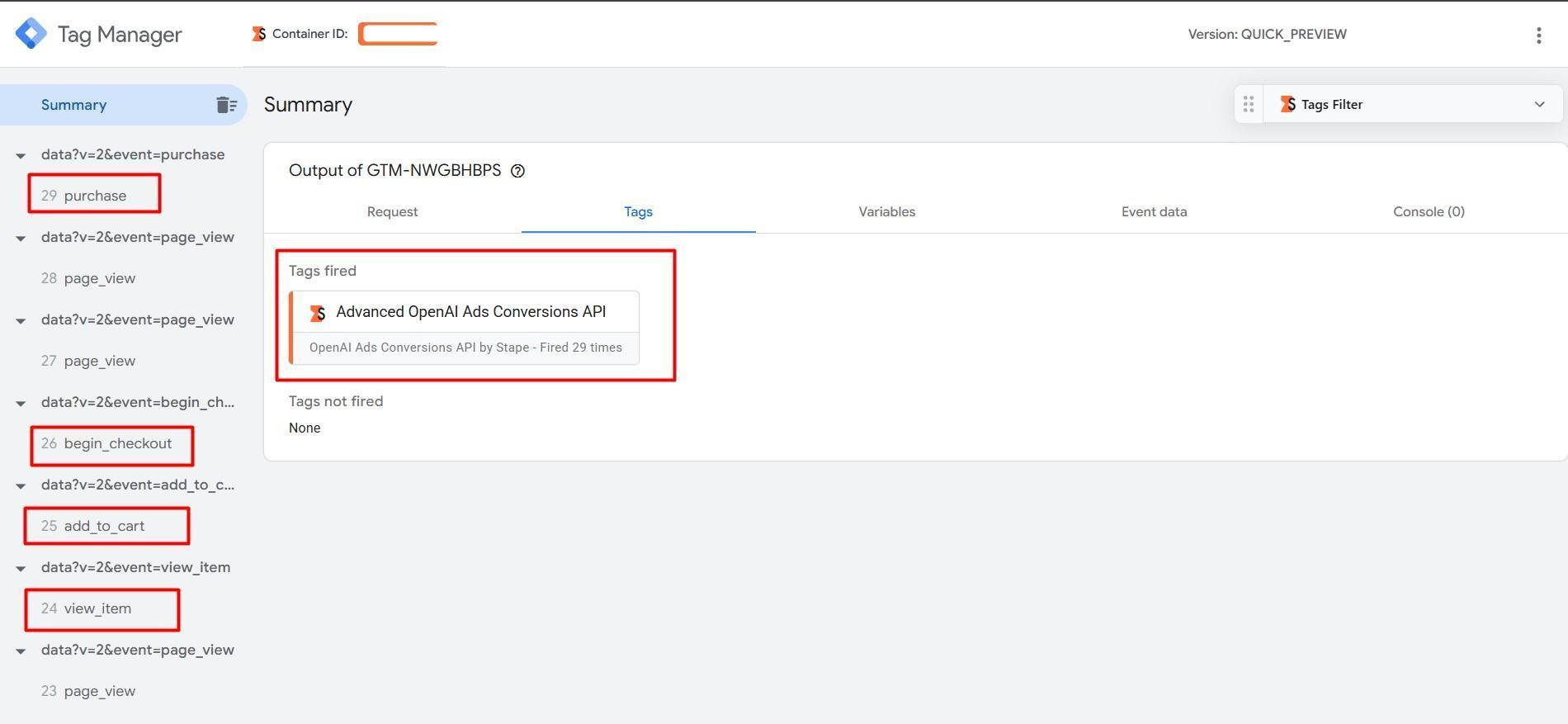
I created five browser event tags and five forwarding tags, then configured the OpenAI Ads Conversions API tag using the Stape template in the server container.
Adding purchase value and matching data
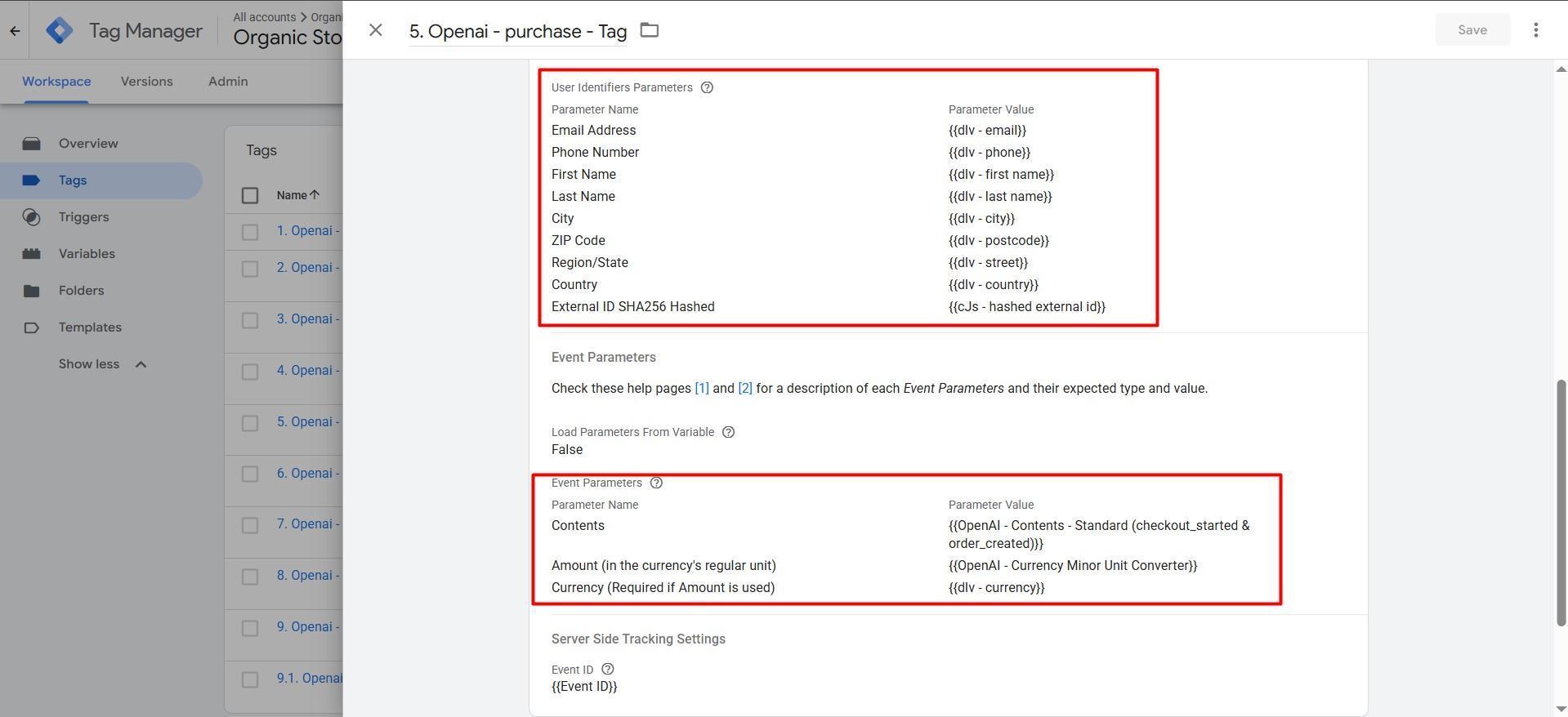
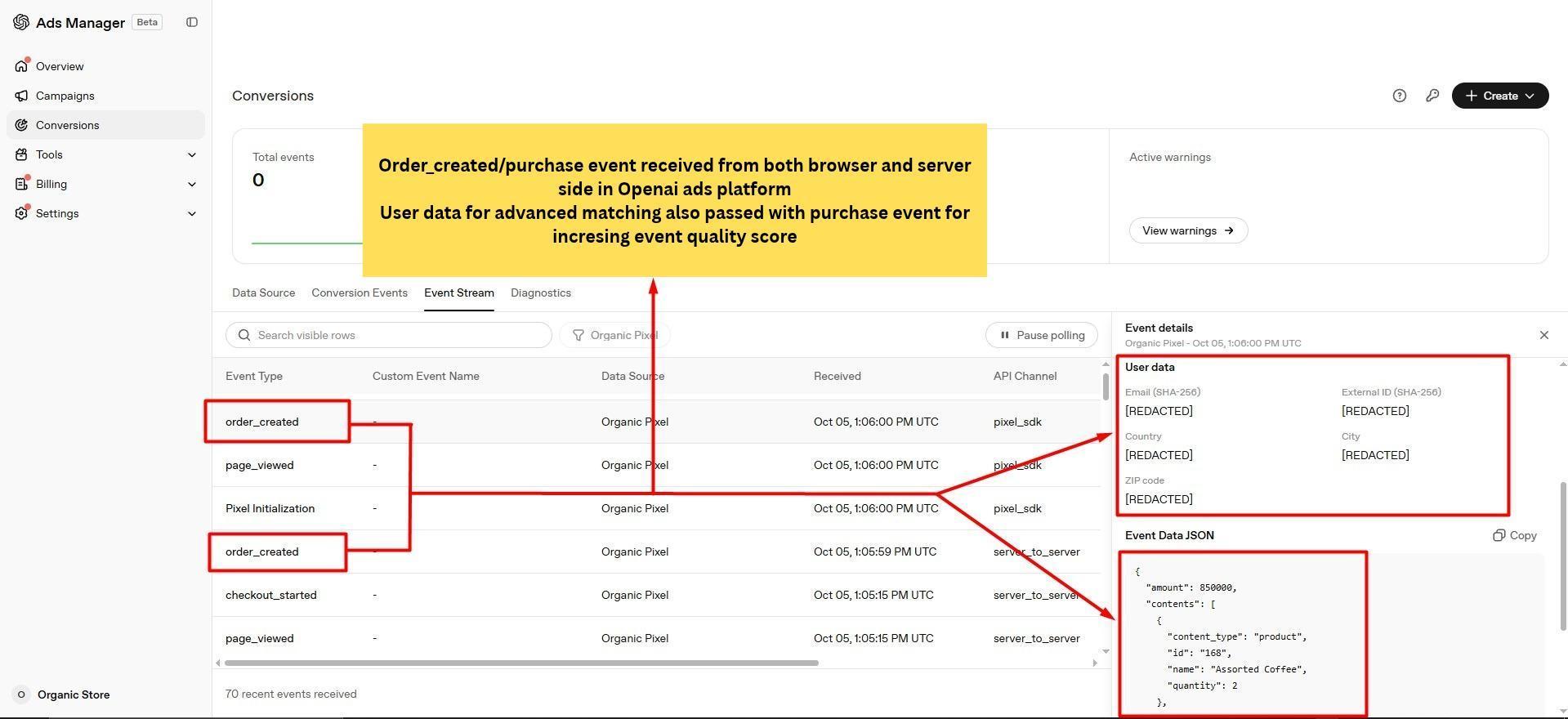
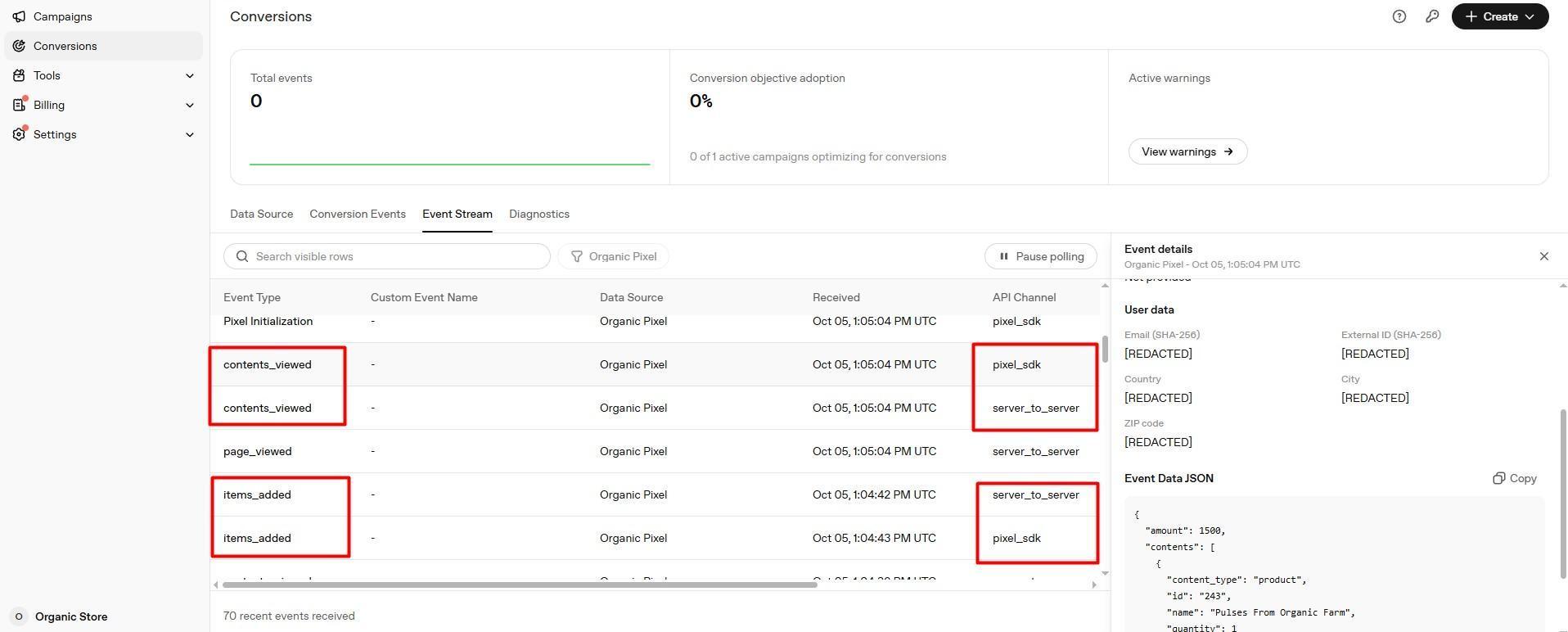
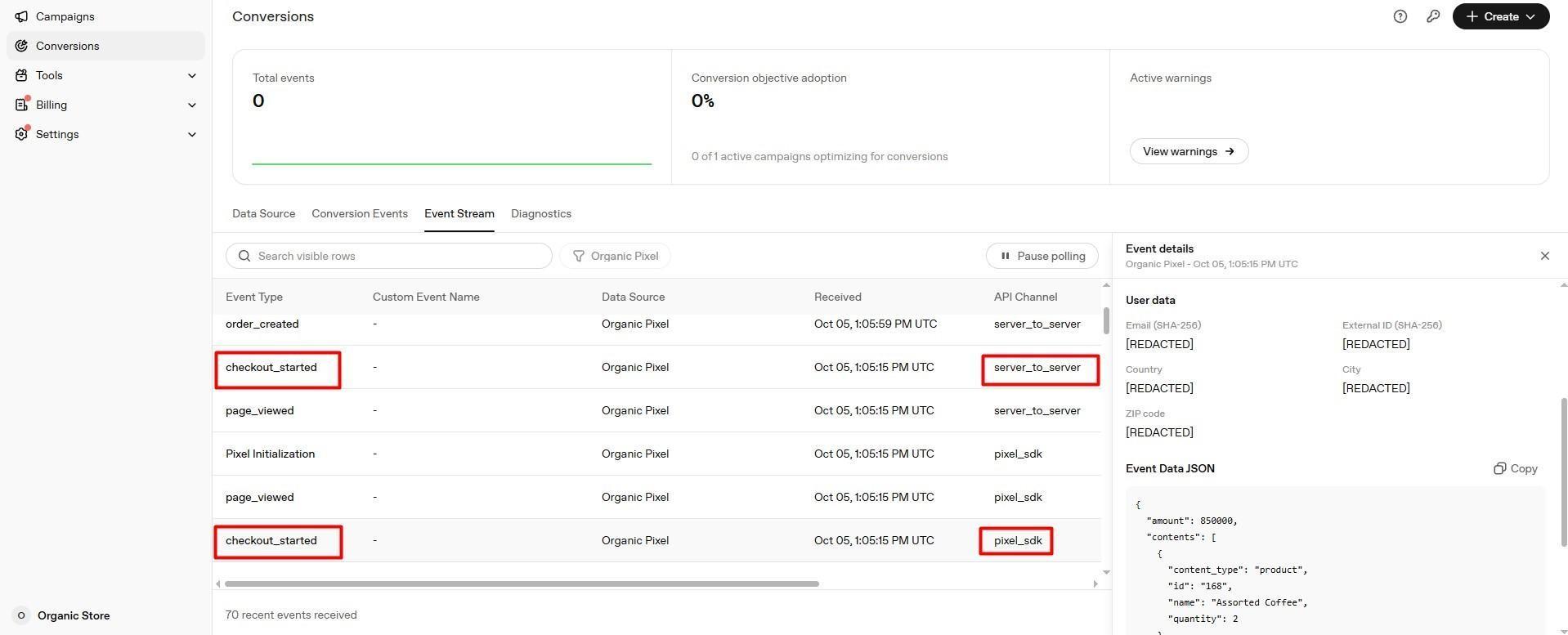
I configured dynamic amount, currency, product contents, and an event ID for the purchase tag. User identifier fields were mapped to data layer variables, with a hashed external ID. The Event Stream displays email and external ID SHA-256 fields, plus location fields, with values redacted.
Testing tag firing and event receipt
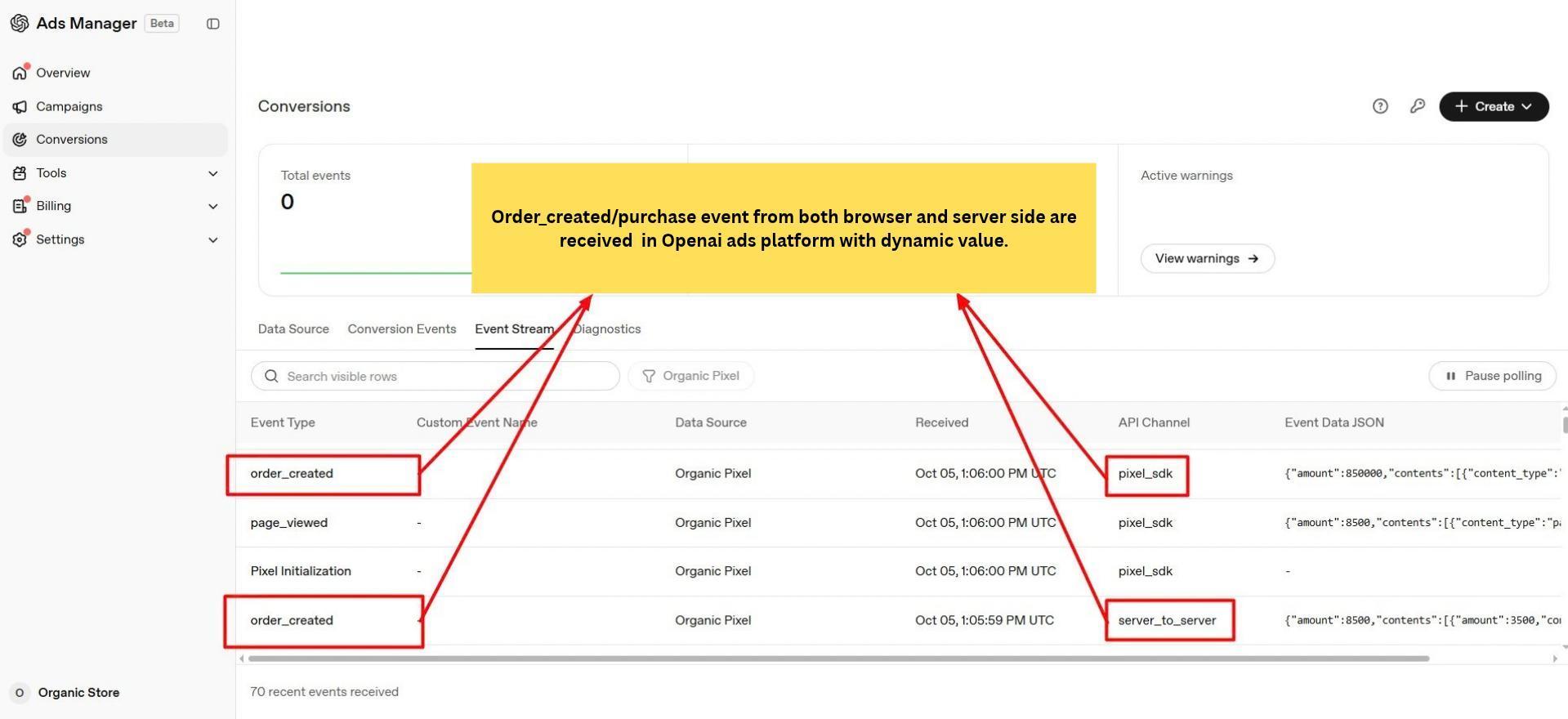
I tested the shopping journey in both GTM containers. Web Preview shows the browser and forwarding tags firing, while Server Preview shows the Conversions API tag firing. The Ads Manager Event Stream then shows product views, cart additions, checkout, and order events arriving through pixel_sdk and server_to_server channels.
Results
The setup delivered OpenAI browser Pixel tags, server event forwarding, a Conversions API tag, and purchase parameter mappings. Captured tests confirm tag firing and event receipt.
A thank you for exploring my portfolio
Thank you for reviewing my work. Message me "TRACKING" for priority access to a free website tracking audit. I will check your tags and identify potential tracking issues.
Message “TRACKING” on WhatsApp