

ELIANTE BD - A WordPress Women’s Fashion Brand
Facebook Pixel, Conversions API (CAPI) & GA4 eCommerce Tracking Case Study
I set up browser and server tracking for Eliante BD’s WordPress store, then tested the shopping journey from product views to purchase using Google Tag Manager, GA4 DebugView, and Meta Events Manager.
Open original case study PDF ↗The business and the challenge
Eliante BD sells women’s casual wear, office attire, activewear, evening dresses, blazers, joggers, and complete outfits. The goal was to measure how shoppers moved through the store and capture key actions, including product views, cart additions, checkout, and purchases.
The project also needed purchase details, such as order value and currency, available for tracking and analysis. My responsibility was to configure the tracking and check that the events were received during testing.
My strategy
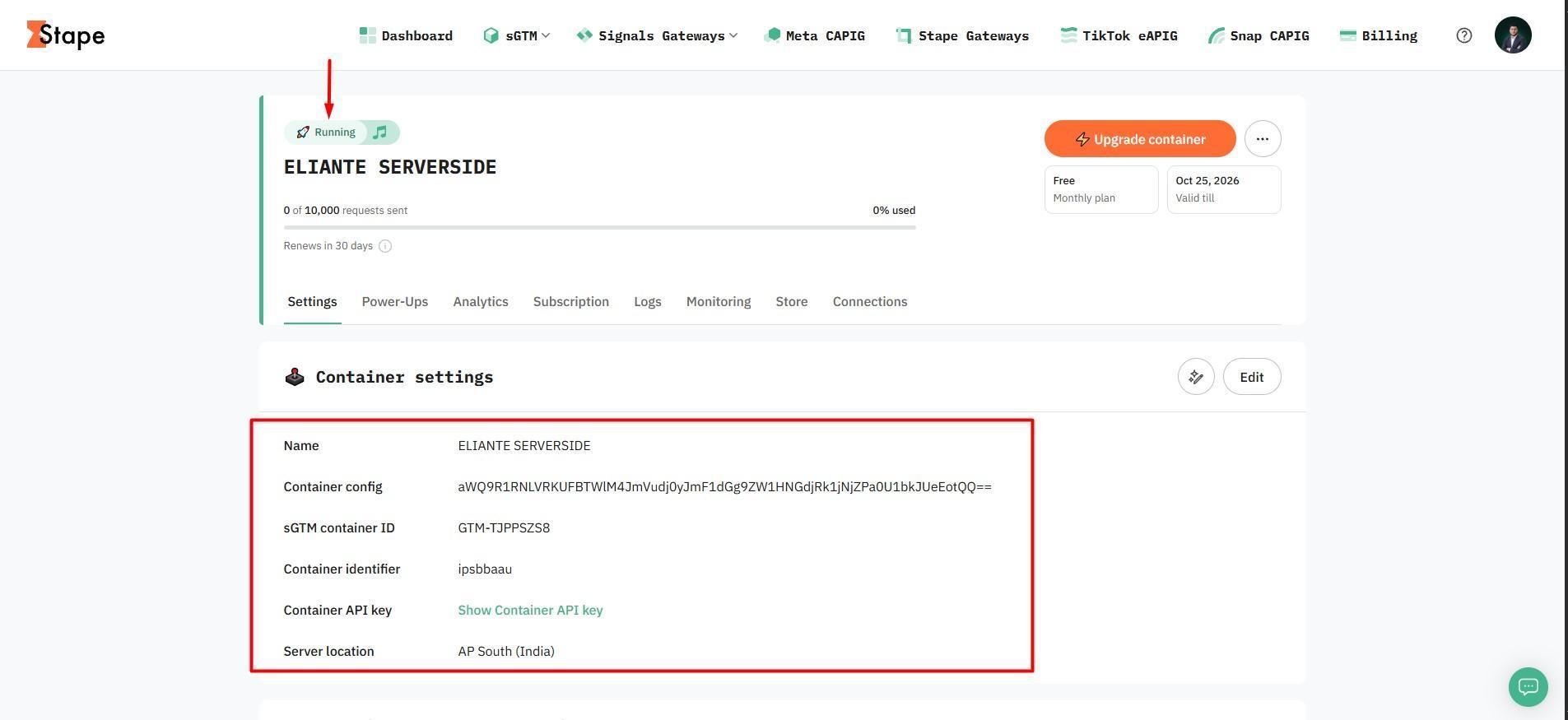
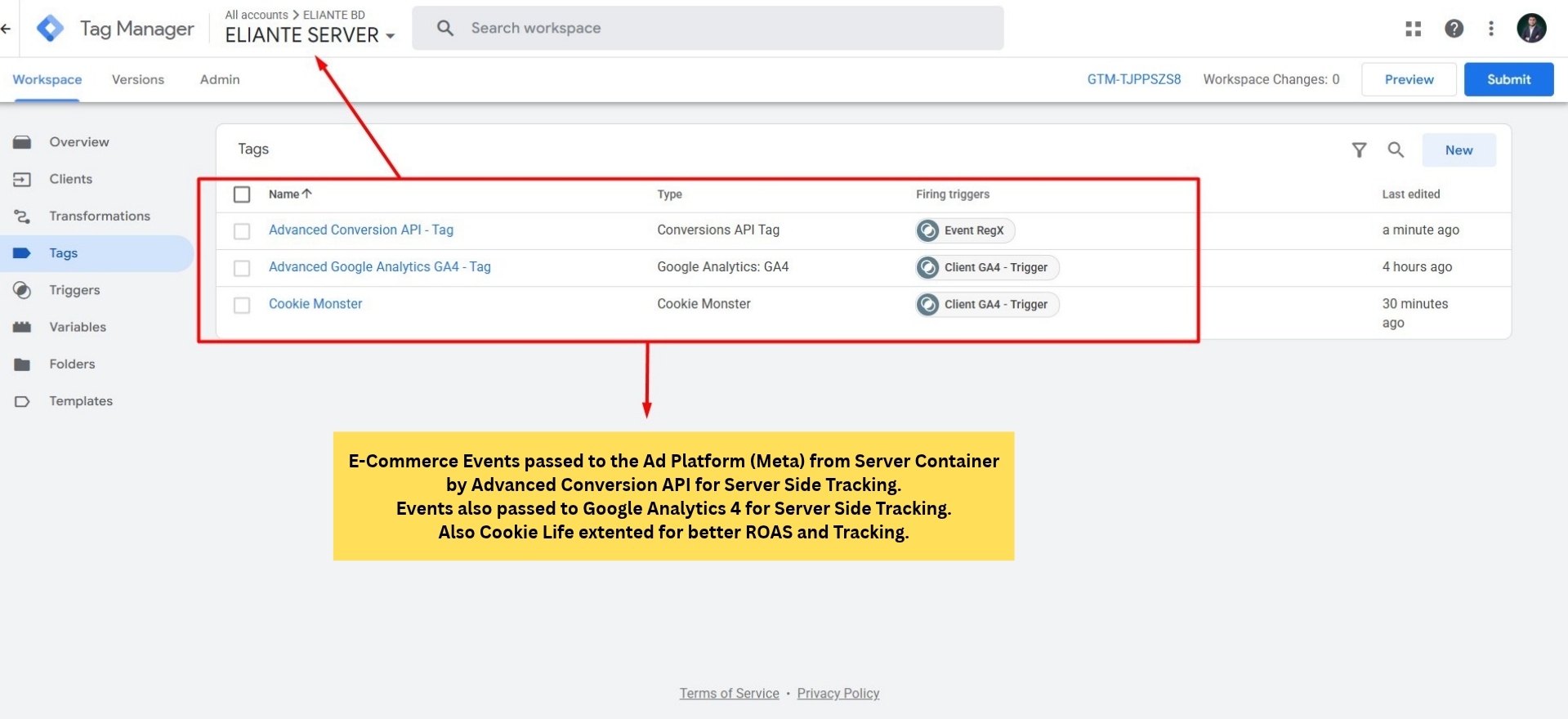
I used GTM web and server containers, with Stape hosting the server setup. I configured Meta Pixel and Conversions API alongside GA4 eCommerce tracking, then checked event parameters and tested the shopping journey.
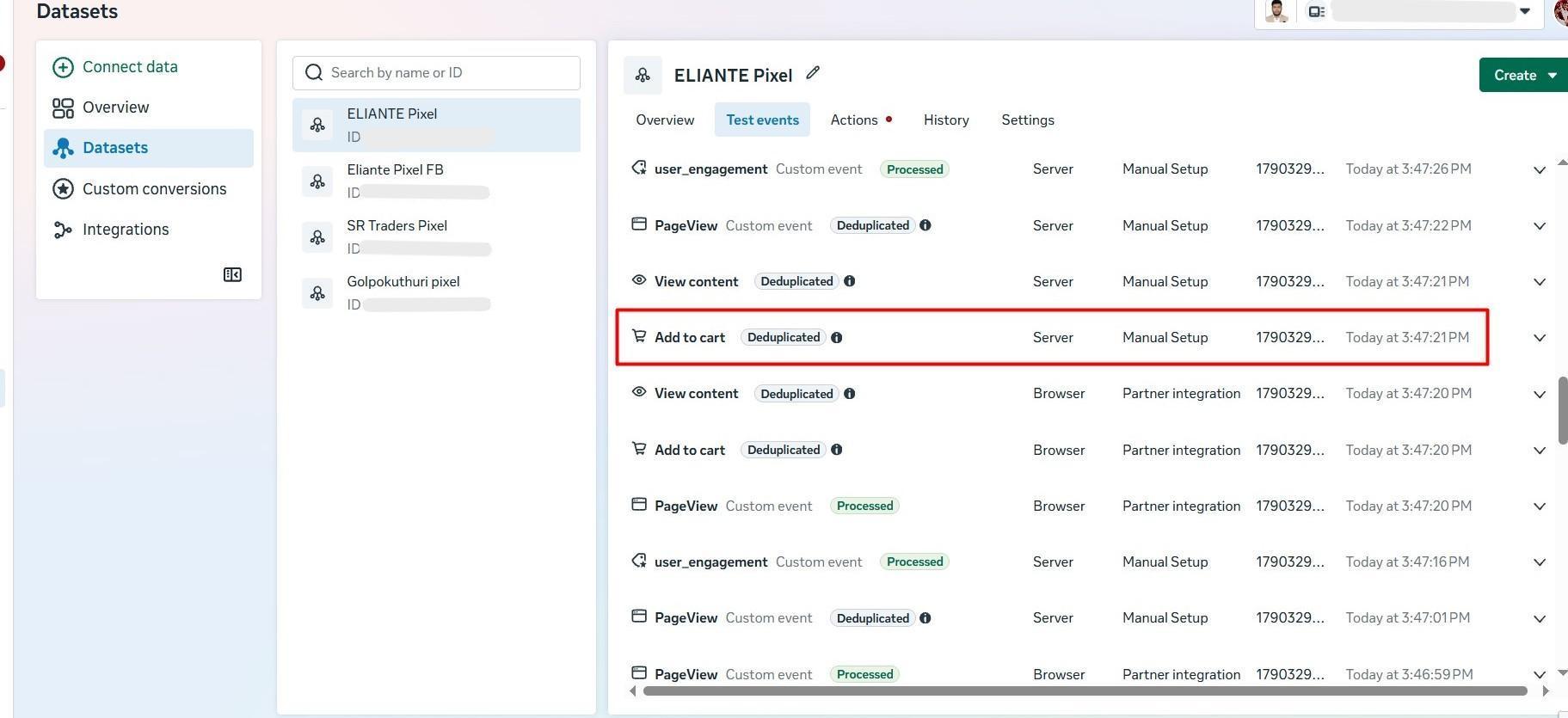
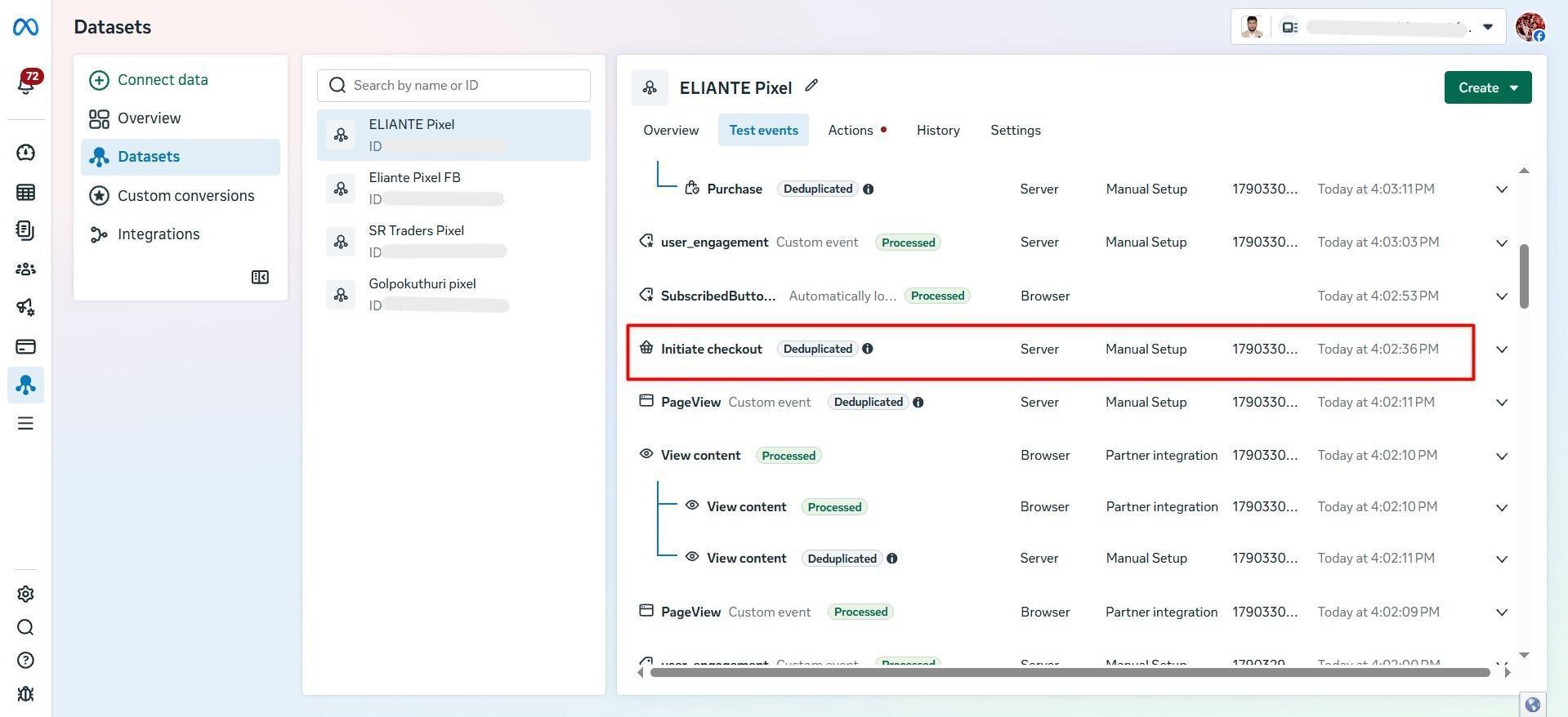
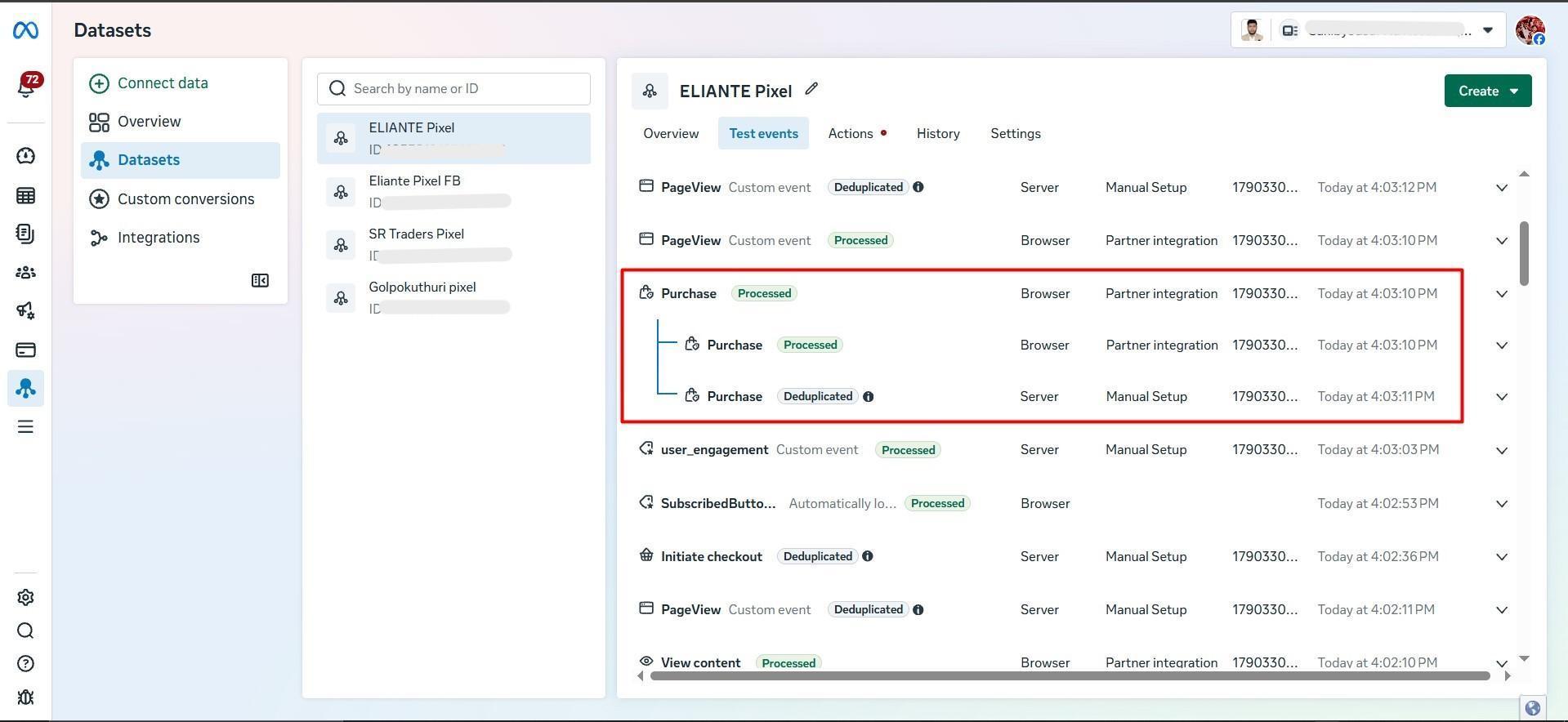
The screenshots document the tag setup, event activity in GA4, and processed and deduplicated test events in Meta. In the purchase test, Meta processed the browser event and deduplicated its matching server event.
Connect the store
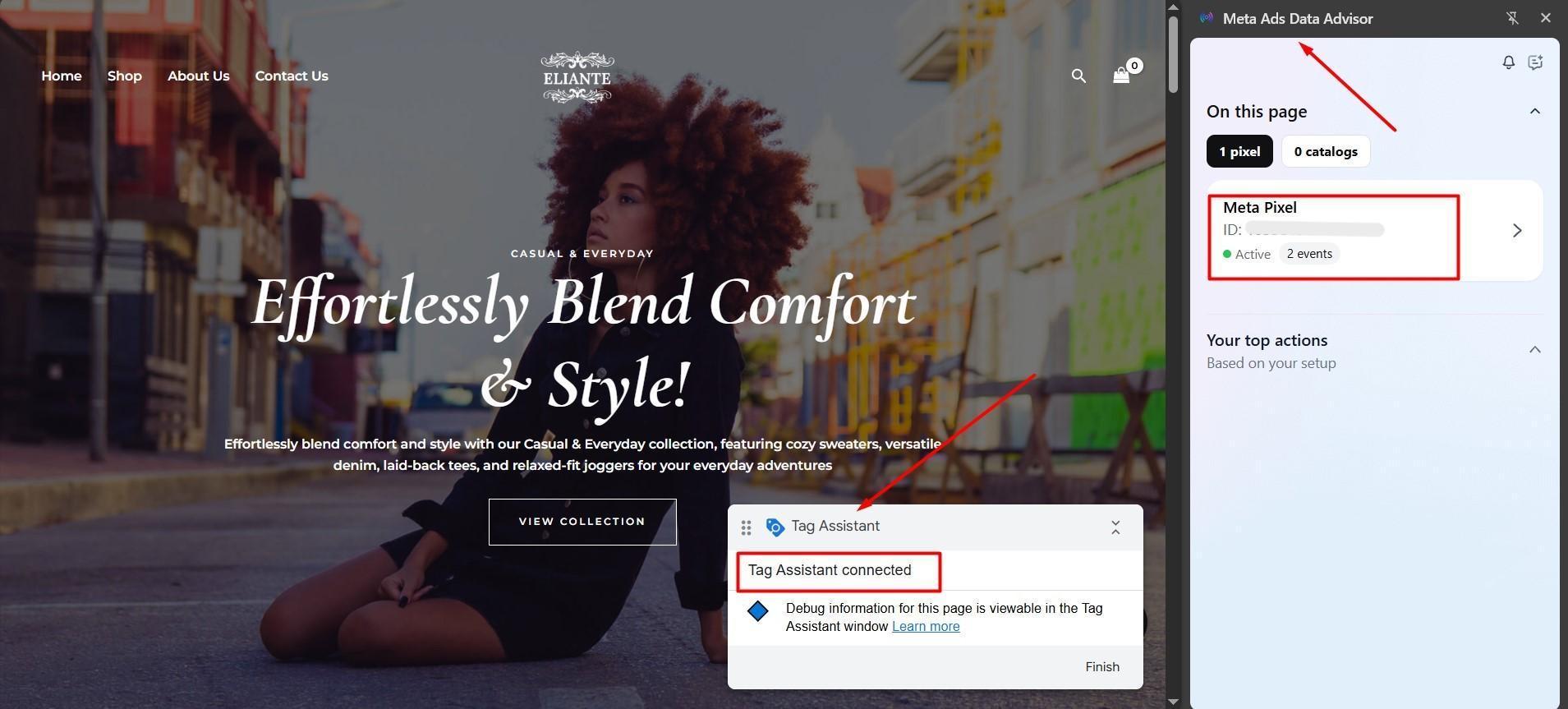
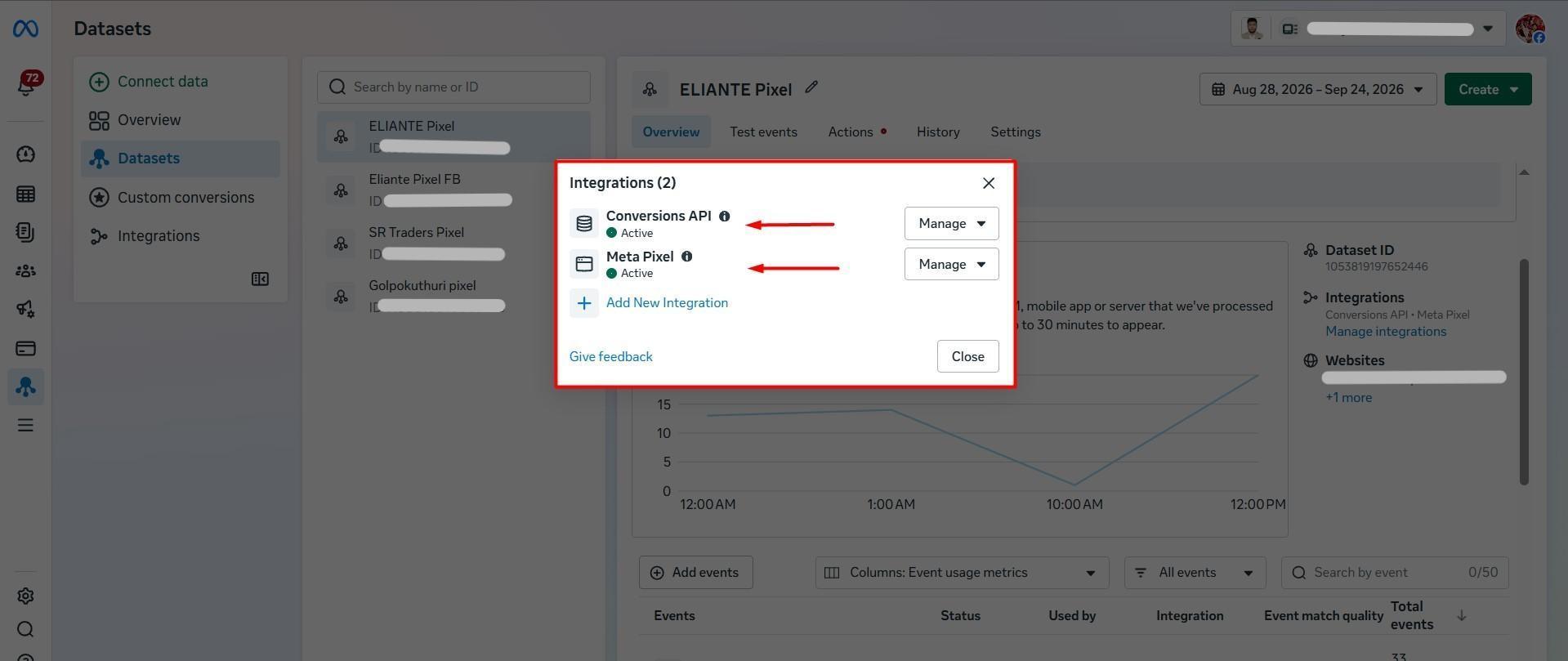
I installed GTM and Meta Pixel on WordPress, then connected Pixel and Conversions API to the Meta dataset.
Configure browser and server tracking
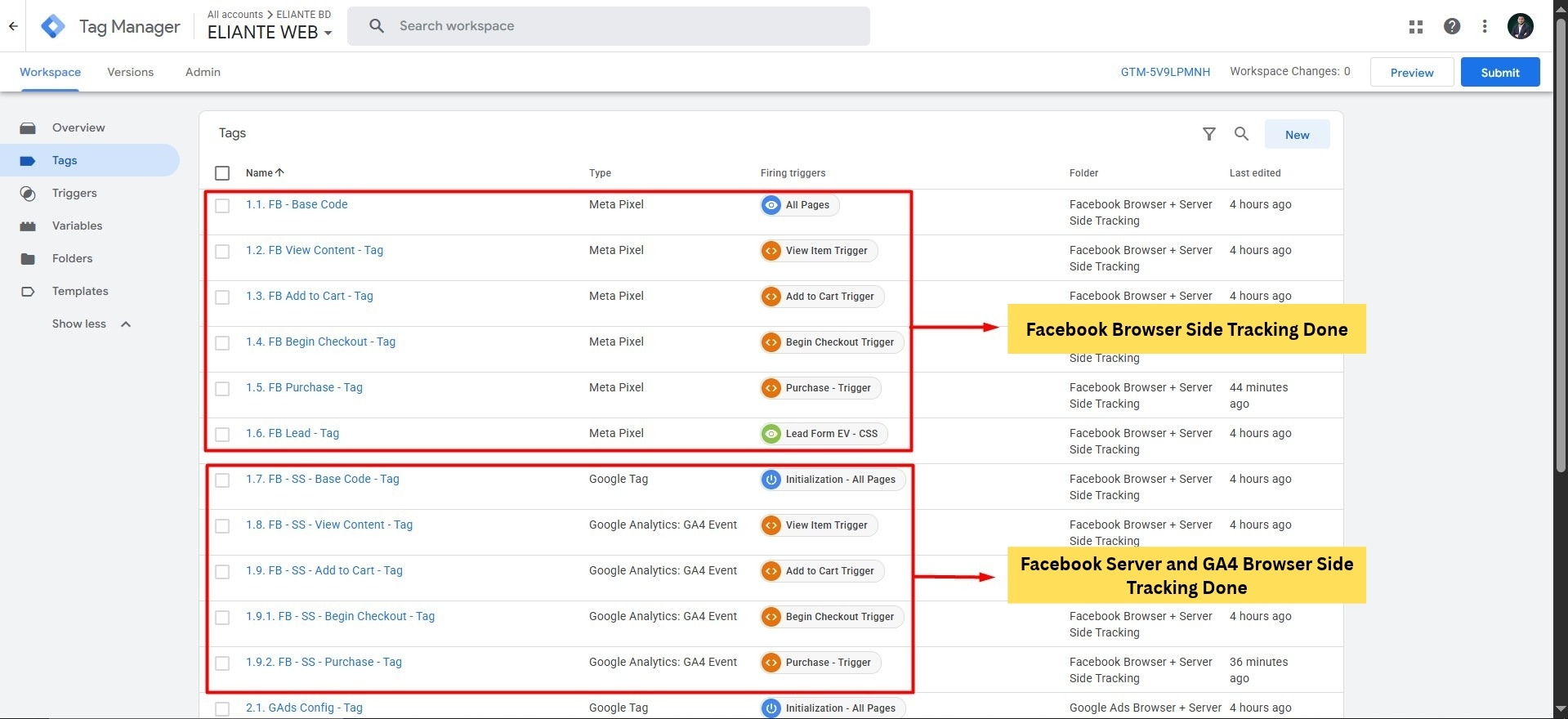
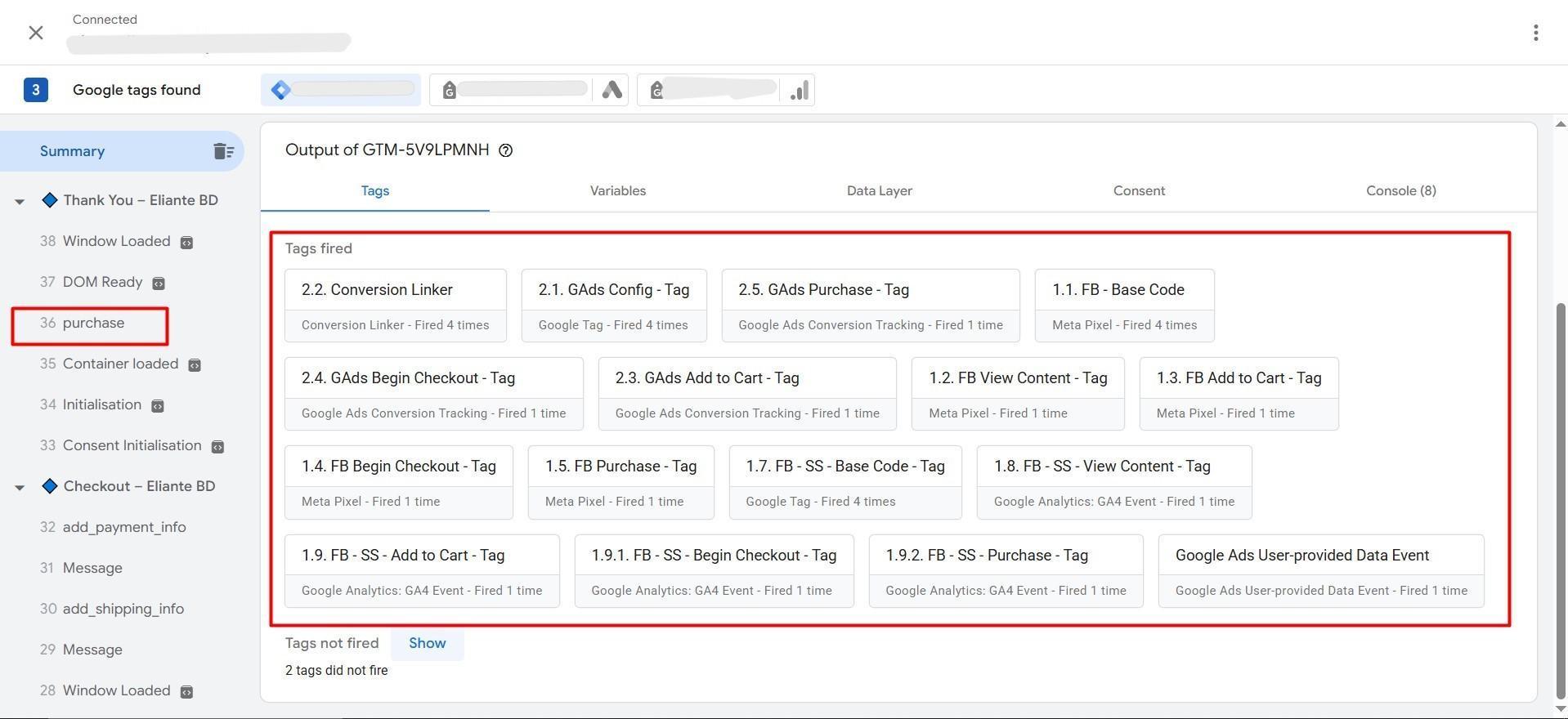
I configured Meta events and GA4 event forwarding in the web container, created the Stape server, and added Meta CAPI and GA4 tags in the server container. The shopping events covered product views, cart additions, checkout, and purchase.
Set purchase parameters
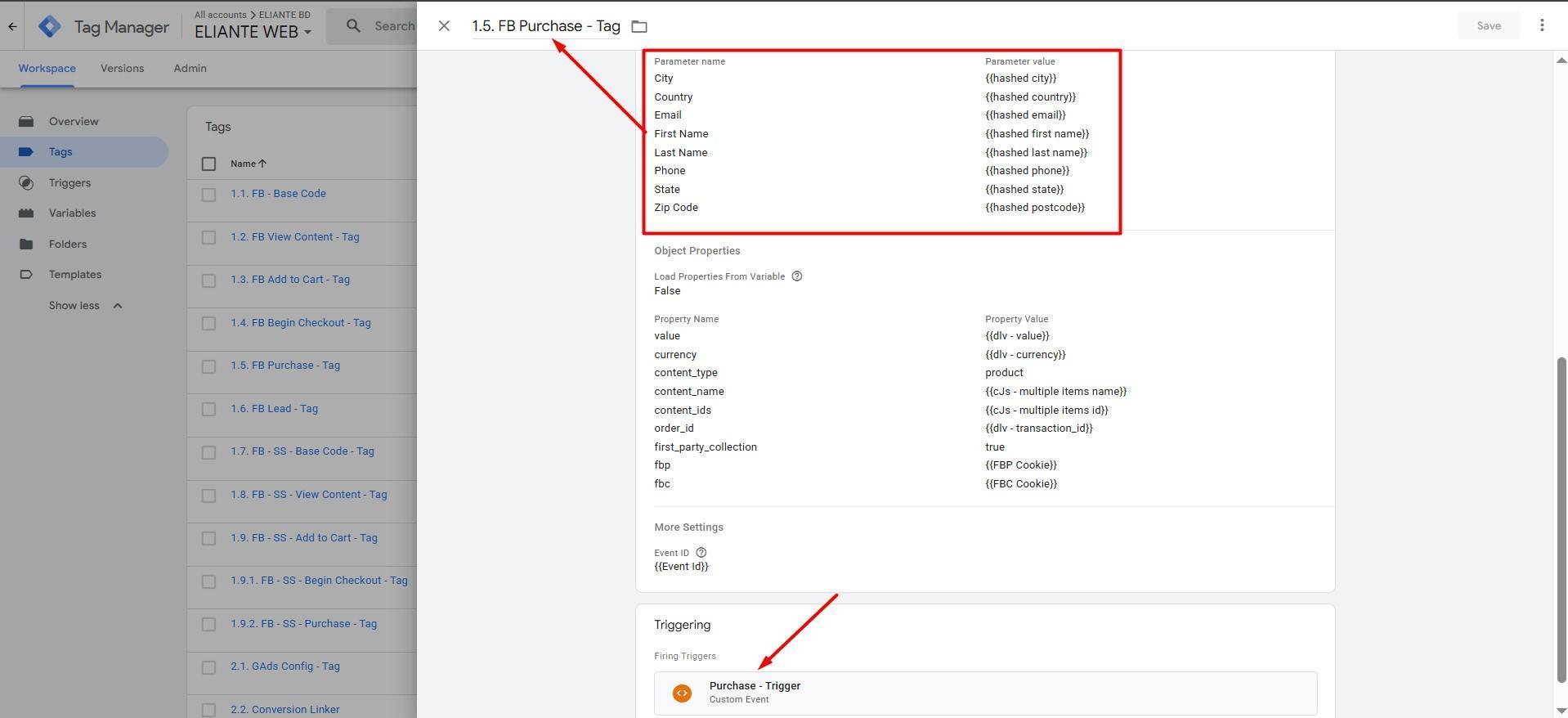
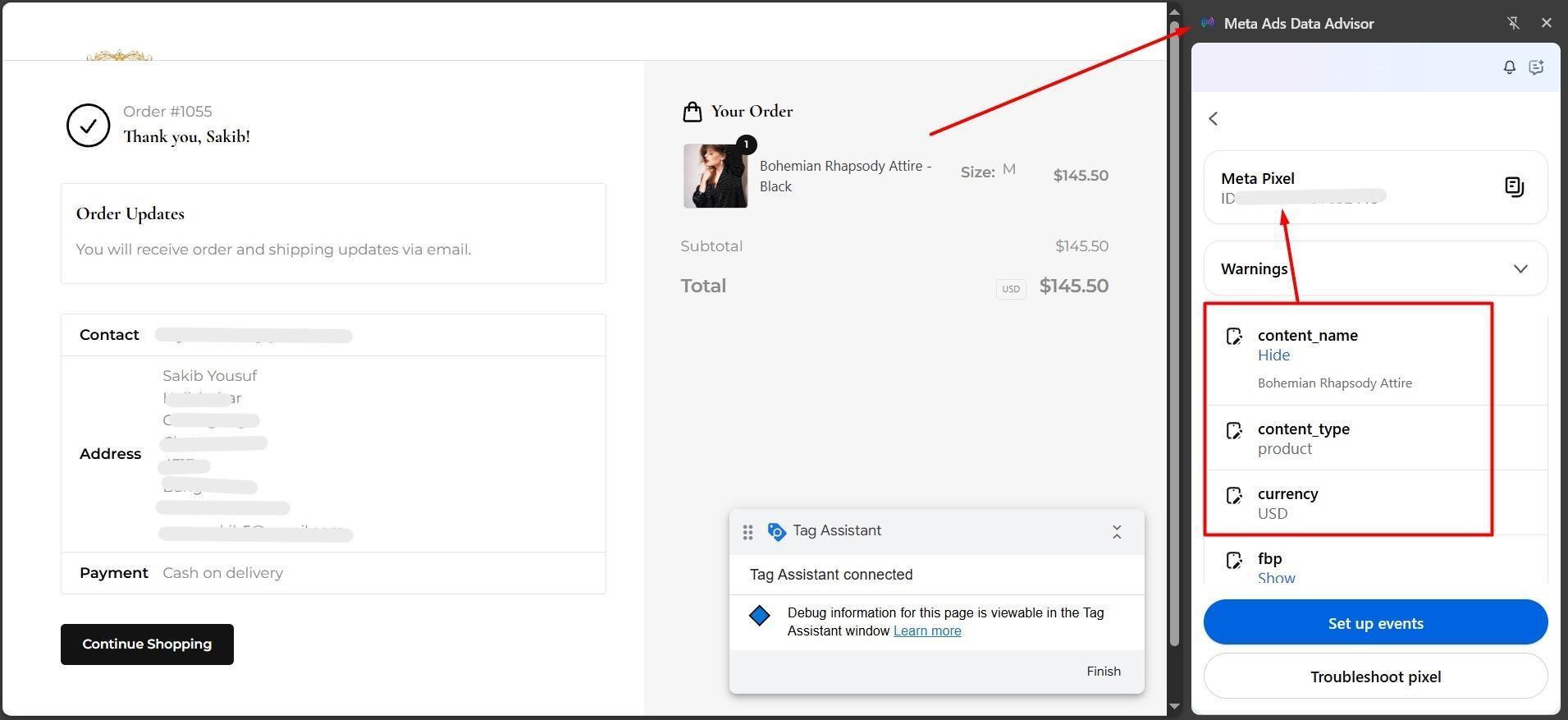
I configured dynamic value, currency, product details, order ID, and event ID for the Meta purchase tag. Advanced matching fields referenced hashed customer data variables. A test order was used to inspect the purchase context and pixel parameters.
Configure GA4
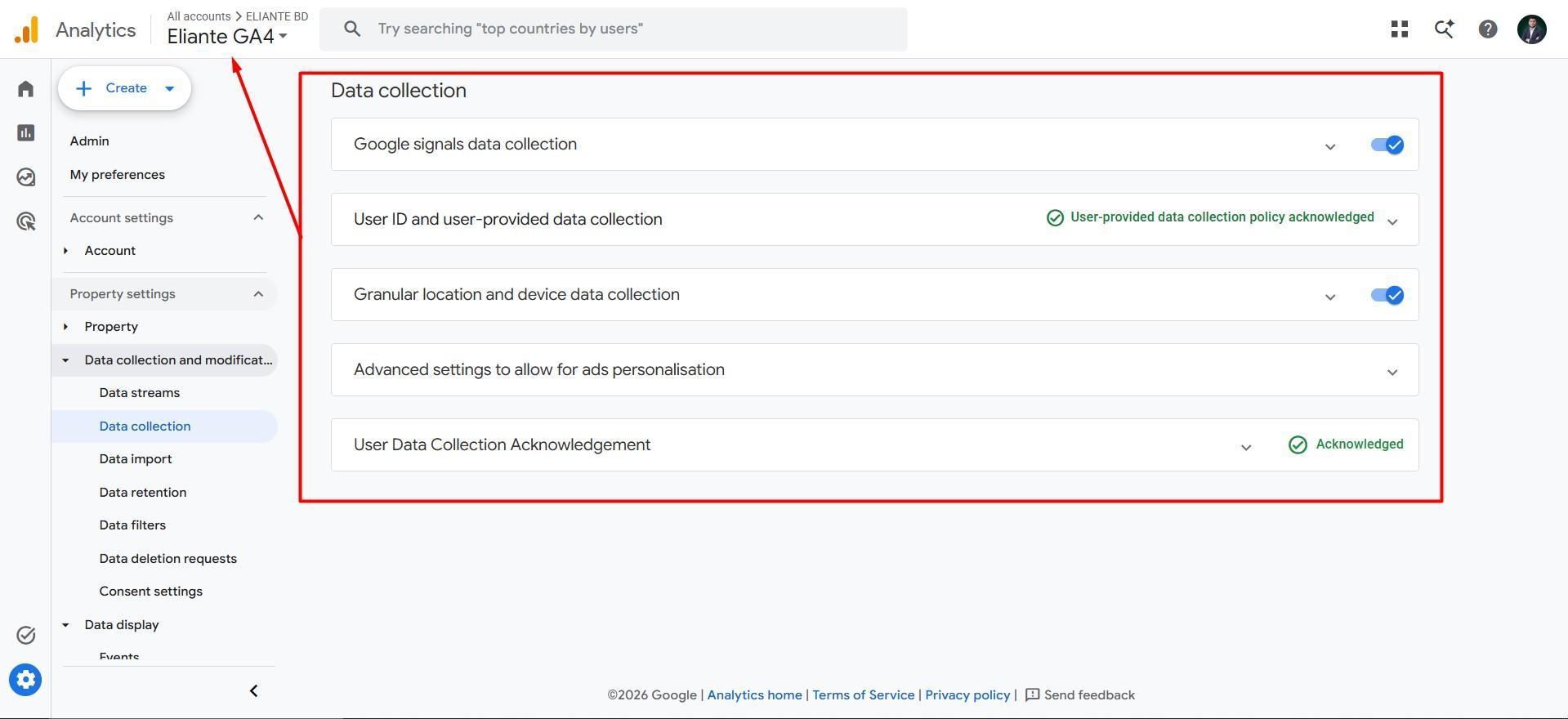
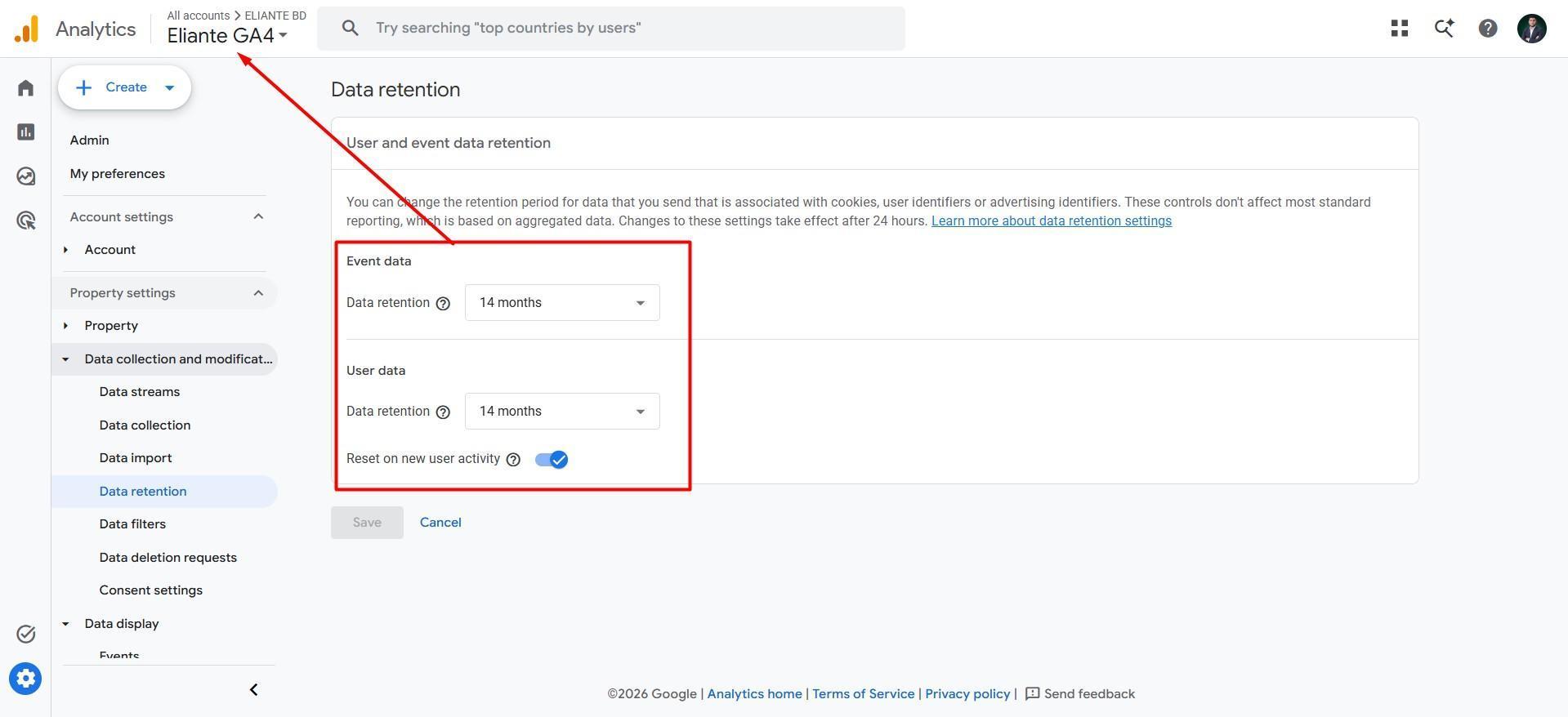
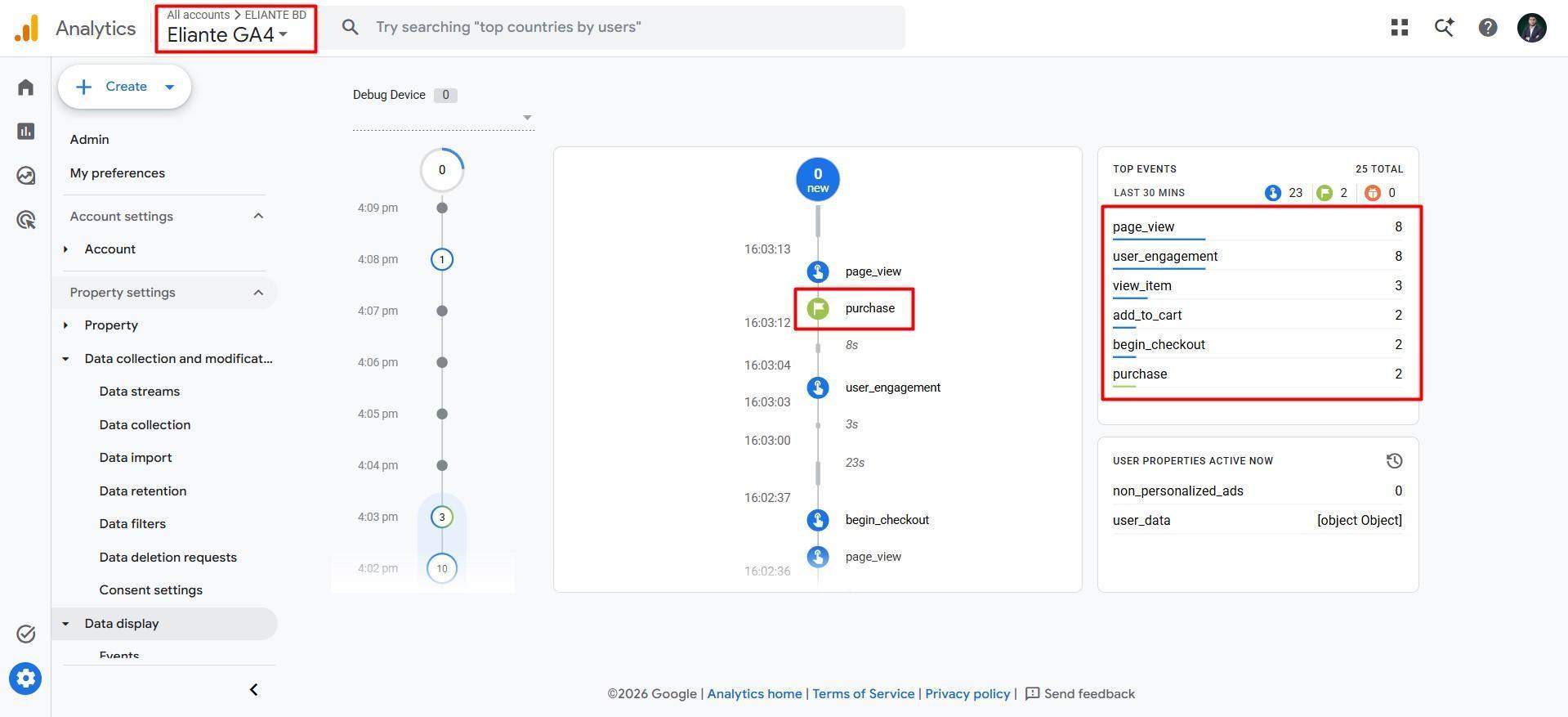
I configured GA4 data collection settings and set user and event data retention to 14 months. GA4 DebugView showed page_view, view_item, add_to_cart, begin_checkout, and purchase during testing.
Test event delivery
I checked the relevant tags in GTM Preview and event receipt in Meta Test Events. Meta displayed deduplication statuses for cart and checkout events, plus a processed browser purchase paired with a deduplicated server purchase.
Results
The project delivered a WordPress tracking setup for Meta and GA4, supported by event testing screenshots. Key shopping events appeared in GA4, and Meta showed purchase processing and deduplication. These are implementation results from the captured tests; revenue growth or advertising performance gains were not measured in this case study.
You’ve Made It This Far. Here’s Something for You
Thank you for taking the time to explore my portfolio. As a thank-you, I’d like to give you priority access to a free website tracking audit to check your tags and identify potential issues.
Message me “TRACKING” to get priority for your free audit.
Message “TRACKING” on WhatsApp